TrivialAugmentWide
- class torchvision.transforms.v2.TrivialAugmentWide(num_magnitude_bins: int = 31, interpolation: Union[str, InterpolationMode, int] = 'nearest', fill: Union[int, float, Sequence[int], Sequence[float], None, dict[Union[type, str], Union[int, float, collections.abc.Sequence[int], collections.abc.Sequence[float], NoneType]]] = None)[source]
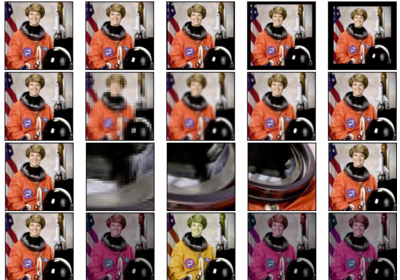
Dataset-independent data-augmentation with TrivialAugment Wide, as described in “TrivialAugment: Tuning-free Yet State-of-the-Art Data Augmentation”.
This transformation works on images and videos only.
If the input is
torch.Tensor, it should be of typetorch.uint8, and it is expected to have […, 1 or 3, H, W] shape, where … means an arbitrary number of leading dimensions. If img is PIL Image, it is expected to be in mode “L” or “RGB”.- Parameters:
num_magnitude_bins (int, optional) – The number of different magnitude values.
interpolation (str or InterpolationMode, optional) – Desired interpolation enum defined by
torchvision.transforms.v2.InterpolationMode. Accepted string values are"nearest","nearest-exact","bilinear","bicubic","box","hamming", and"lanczos"."box","hamming", and"lanczos"are only supported for PIL images. The correspondingInterpolationModeenum values and Pillow integer constants, e.g.PIL.Image.BILINEARare accepted as well.fill (sequence or number, optional) – Pixel fill value for the area outside the transformed image. If given a number, the value is used for all bands respectively.
Examples using
TrivialAugmentWide: